
A production system never stops talking. Every hour it generates thousands of signals: alerts from external sources, errors bubbling up from downstream services, and the metrics, logs, and traces it emits about itself. On a busy day that is a wall of noise, and somewhere inside that wall are the few things that are actually hurting you.
The tempting answer, now that we all have AI agents, is to point those agents at every signal and let them investigate. But all that really does is move the noise from the alert layer to the investigation layer. You end up with thousands of investigations instead of thousands of signals, and you are no closer to the only question that matters: what is really decreasing my prod health right now?
Today we are excited to introduce two features built to answer that question: Issues and the Prod Health Score.
Agents are teammates, not signal-slaves
We have a strong opinion about how AI should show up in an observability platform. Agents are not meant to be tools that grind through every signal you throw at them. They are capable actors that can investigate on their own, they can run real actions, and their job is to light the path forward so you spend your attention where it counts.
But autonomy is only half of the story. No matter how much an agent does on its own, a human still needs a way to look at production and trust, at a glance, that things are okay. That is the tension we set out to solve: let agents do more and more on their own, while giving people a clear, honest view of what is actually going on.
Introducing Issues
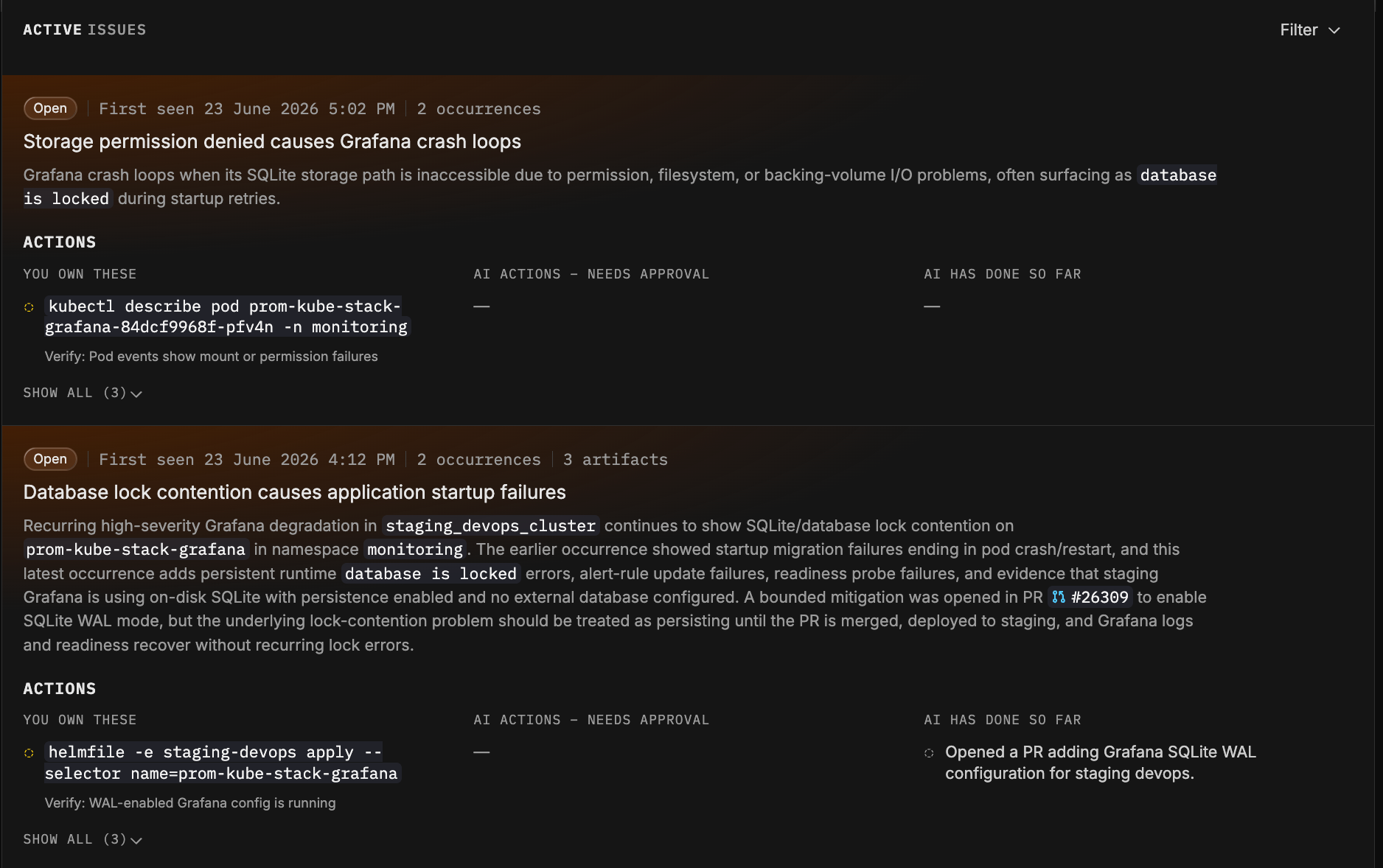
An Issue is a single, durable unit that represents a real problem affecting production. Not a raw signal. Not one alert among thousands. A problem.
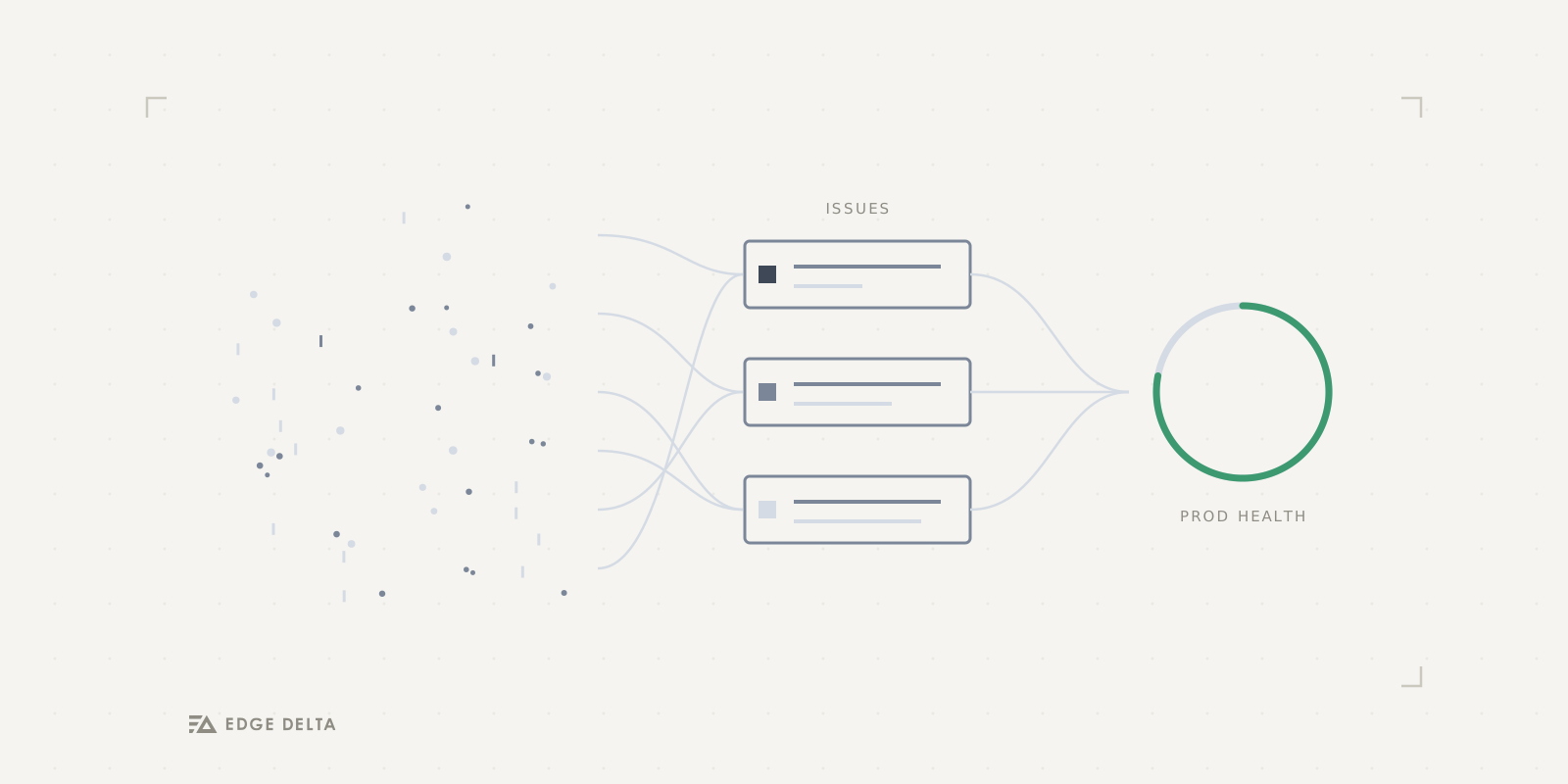
The important part is how we get there. Agents investigate the signals coming into your system, and instead of leaving you with a pile of separate findings, correlate those investigations into Issues by their underlying failure class and their root cause. During this process, dozens of signals and investigation threads collapse into one Issue, cutting noise and accurately capturing information about incidents.
Issues also understand time. When the same failure shows up again, it does not create a brand new alert. It bumps an occurrence count on the Issue that already exists. When a problem you recently resolved comes back, the Issue reopens automatically and stays linked to its own history, so you are never guessing whether it is new or a repeat.
Introducing the Prod Health Score
The Prod Health Score is one number, from 0 to 100, that answers the simplest and most important question: how healthy is my prod right now?
It is built to be transparent. Your score starts at a perfect 100, and each open Issue deducts from it based on severity: a critical Issue takes off 25 points, a high takes off 10, and a medium takes off 4. There is no black box. The score is a direct reflection of what is actually open and hurting you, and as Issues get resolved, those points come right back.
The number maps to a status you can read in a second: Healthy, Degraded, High, or Critical, each with its own color.
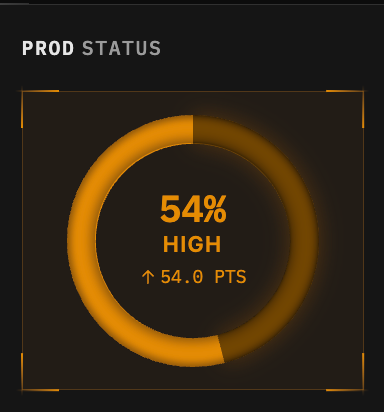
This is the piece that keeps the human in command. Our agents are already doing a lot autonomously, and they get better every day. But as a person responsible for production, I do not want to read a hundred agent transcripts to feel safe. I want to glance at one number and know. The Prod Health Score serves exactly that need.
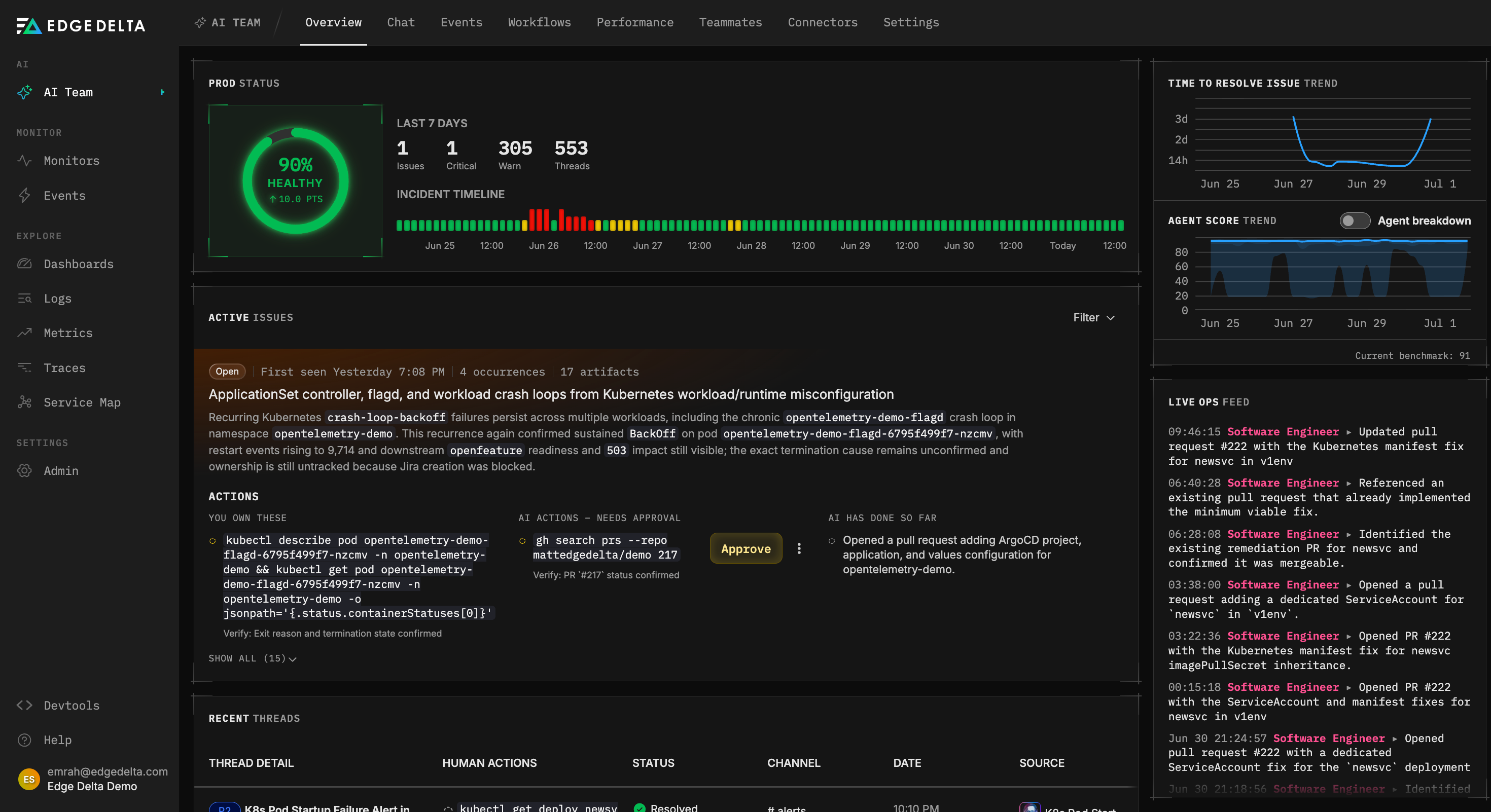
The Overview page is where it all comes together. You get the health gauge, a delta showing how much the score moved over your selected window, an incident timeline that shows the worst the score got over time, and a live feed of what the agents have been doing on your behalf.
The anatomy of an Issue
Open any Issue and it is organized around a simple idea: here is the problem, here is what you own, and here is what your AI teammates are doing about it.
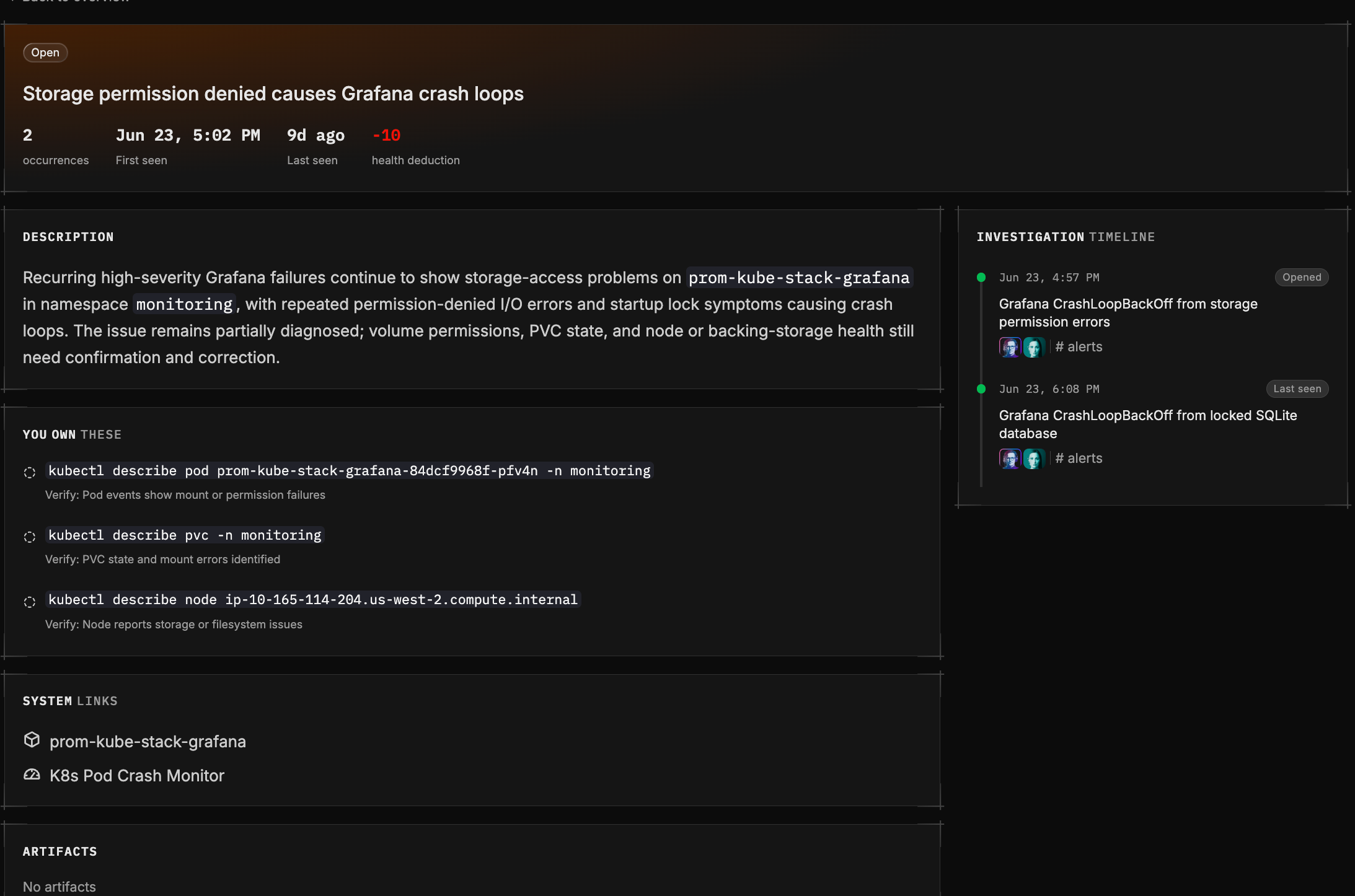
Summary and description. A short, current-state synthesis of the problem, re-written every time the Issue recurs.
You own these. The actions that are yours to take, written command-first so you know exactly what to do, each with a clear way to verify that it worked. These are the calls that need a human.
AI actions. What your agents can do, in two parts. First, the actions waiting for your approval, where the agent has a recommendation ready to run and simply needs your go-ahead. You approve or decline. Second, what AI has already done, complete with verification verdicts so you can see not just what the agent tried, but whether it actually worked.
Artifacts. The durable outputs tied to the problem: pull requests, tickets, commits, post-mortems, each with a deep link so you can jump straight to the source.
Related issues. The lineage of the problem. If this Issue reopened from a past one, or descends from a chain of earlier failures, you see that history so you easily understand the underlying pattern.
Timeline. The full story of the Issue over its life: when it was first detected, every recurrence, any severity escalation, reopens, and how it was ultimately resolved or closed.
How it all fits together
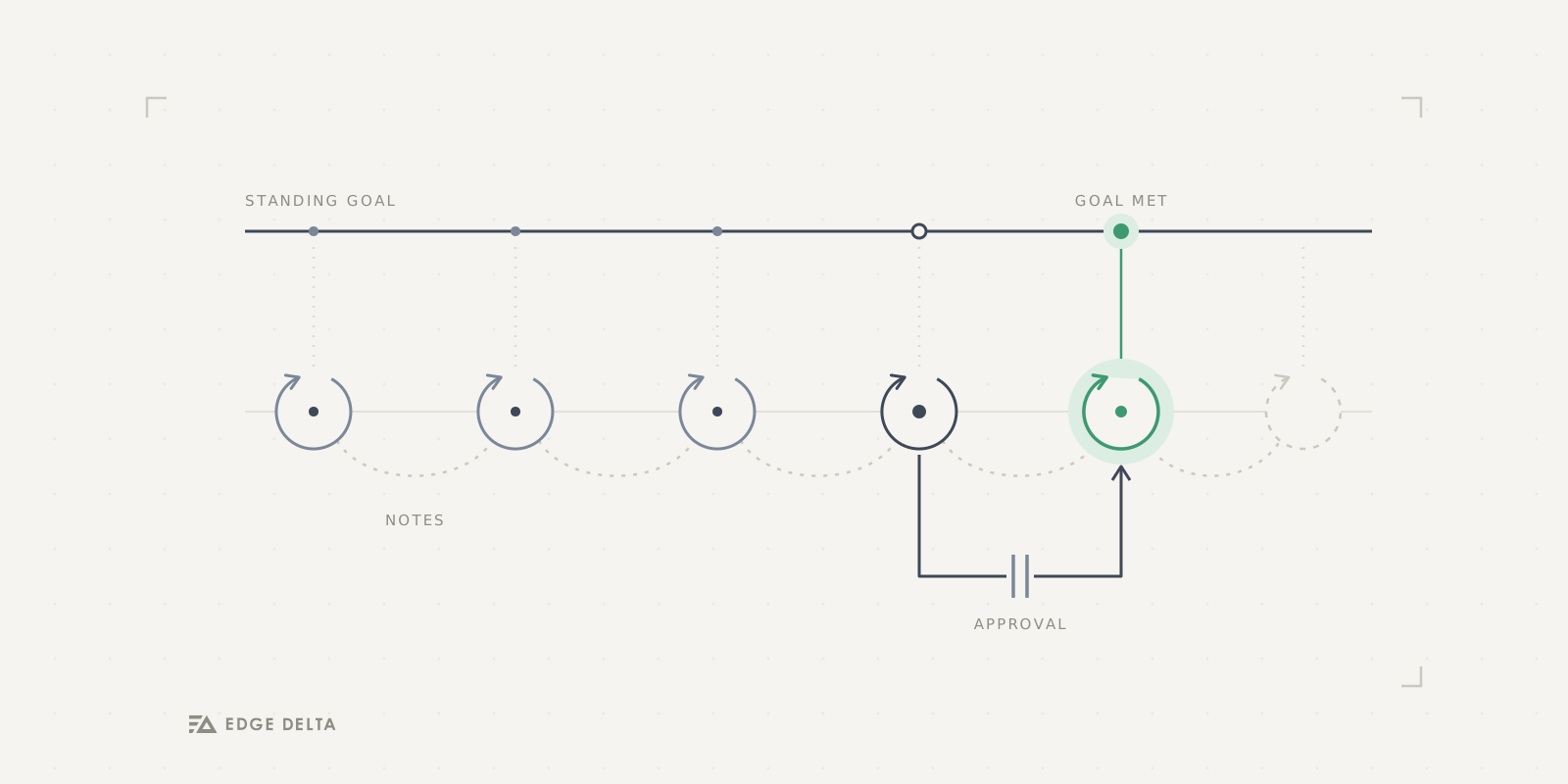
This is how the teammate model works end to end: Agents investigate signals on their own. Their conclusions correlate into Issues instead of piling up as noise. Those Issues feed a single Prod Health Score. You glance at the score, open the one or two Issues that actually matter, and either take the action you own or approve an agent to run one for you. The agent acts, verifies its own work, and the score recovers.
Agents do the legwork. You keep the judgment and a clear view of your production.
Get started
Issues and the Prod Health Score are available now. If you are already an Edge Delta customer, you can open the Overview page and check your prod health right now. If you are new, sign up and connect your systems, and let Edge Delta figure out how healthy your prod really is.