
CI/CD pipelines generate massive volumes of data, but CI-related issues are notoriously difficult to troubleshoot, even for experienced engineers. A test might fail inconsistently, deployment errors could be buried across hundreds of log files, and security alerts may conflict with operational metrics. Developers are forced to pivot between CI dashboards, log explorers, and ticketing systems while troubleshooting, which delays resolution and erodes trust in the release process.
Edge Delta’s AI Teammates transform this workflow by continuously monitoring and analyzing telemetry data from CI/CD pipelines, and automatically correlating it with other observability and security data from across your stack. For example, these collaborative AI agents can pinpoint that a test failure is caused by a specific service outage, highlight flaky test patterns, or surface anomalies in deployment logs tied to a recent code change. This helps teams resolve issues faster, reduce manual toil, and perform smoother, more reliable releases.
Edge Delta provides a native CircleCI connector that makes it easy to ingest build logs, test results, and job metadata with minimal setup. For teams using other CI/CD platforms, the same capabilities are available through Edge Delta’s MCP Connector, which allows any CI system to stream structured pipeline data into Edge Delta for analysis.
In this post, we’ll explore several ways AI Teammates keep CircleCI workflows running smoothly throughout the entire deployment lifecycle.
Connect CircleCI to Edge Delta and AI Teammates
Edge Delta’s out-of-the-box CircleCI connector makes CI/CD telemetry data immediately available for AI-driven analysis. AI Teammates can use this data to automatically correlate CI events with service logs, metrics, and traces while reasoning across the full development lifecycle.
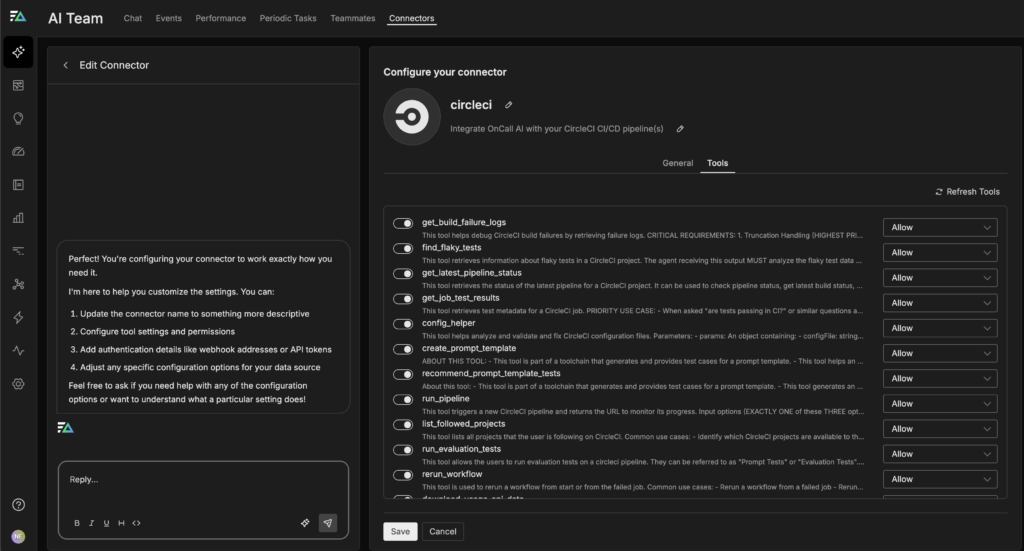
Most teams run CircleCI by linking it to a GitHub repository, where pipeline configuration lives alongside application code. Once connected, CircleCI automatically watches the repository and executes the pipeline defined in the CircleCI config file on every push or pull request. Every commit triggers builds, tests, and deployments automatically. The Edge Delta CircleCI connector uses this natural CI workflow, capturing telemetry data in real time without manual instrumentation.
Once hooked up, the connector ensures that build results, test outputs, failure rates, and timing metrics are normalized and consistently ingested into Edge Delta. This provides AI Teammates with clean, structured data to analyze historical trends, correlate failures across workflows, and surface recommendations or anomalies automatically, helping teams triage issues faster and make data-driven decisions without sifting through raw logs.
For detailed instructions about how to set up the CircleCI connector, check out the documentation.
Automate CI Investigations with AI Teammates
Once CI data is normalized and flowing through Edge Delta, AI Teammates can be integrated directly into CI/CD workflows. These agents understand what success, failure, and anomaly mean in the context of CI and evaluate every new pipeline run against historical baselines.
For example, when a test suddenly fails, AI Teammates don’t just report the failure. They check: Has this test failed before, and how often? Does the failure correlate with a specific branch, job, or recent commit? Is the failure isolated, flaky, or part of a broader pattern across workflows? By continuously learning from new runs, the agents surface explanations, allowing teams to identify regressions, flaky tests, or systemic issues without digging through raw logs or dashboards.
In the following sections, we’ll explore how AI Teammates accelerate and streamline your CI investigations at each stage of the CI lifecycle.
Pre-Merge CI Triage with AI Teammates
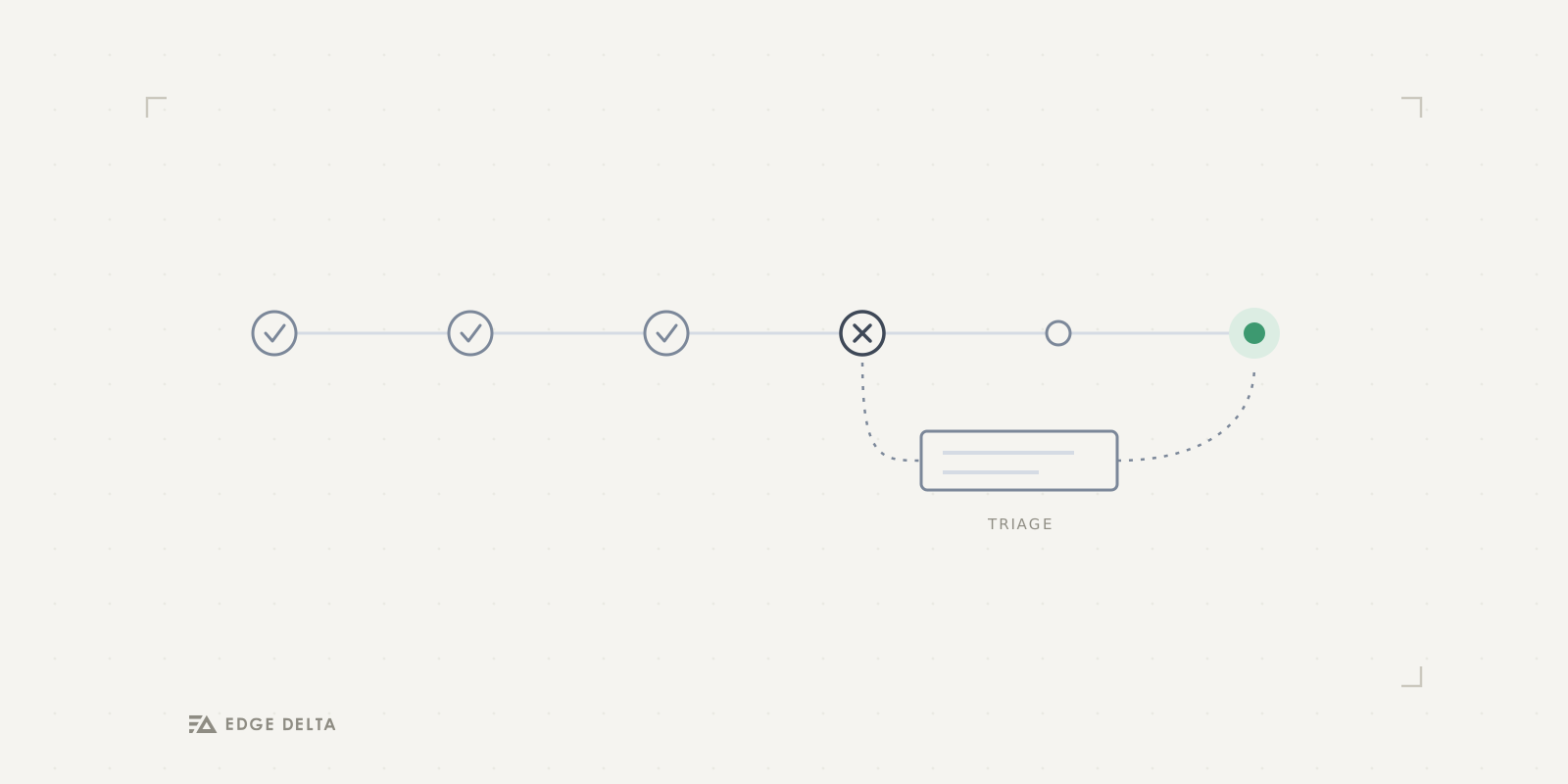
When a developer opens a pull request and the CircleCI workflow fails due to a test failure, OnCall AI immediately begins triaging the issue. It starts by asking the Code Analyzer agent to pull structured job metadata and test results from CircleCI, such as JSON summaries or JUnit artifacts. Next, the Code Analyzer enriches that information with GitHub context, including the pull request diff, recent commits, and code ownership signals. It then queries historical CI telemetry data to determine whether the failing test has exhibited intermittent behavior in the past or if the failure represents a new regression introduced by the current change.
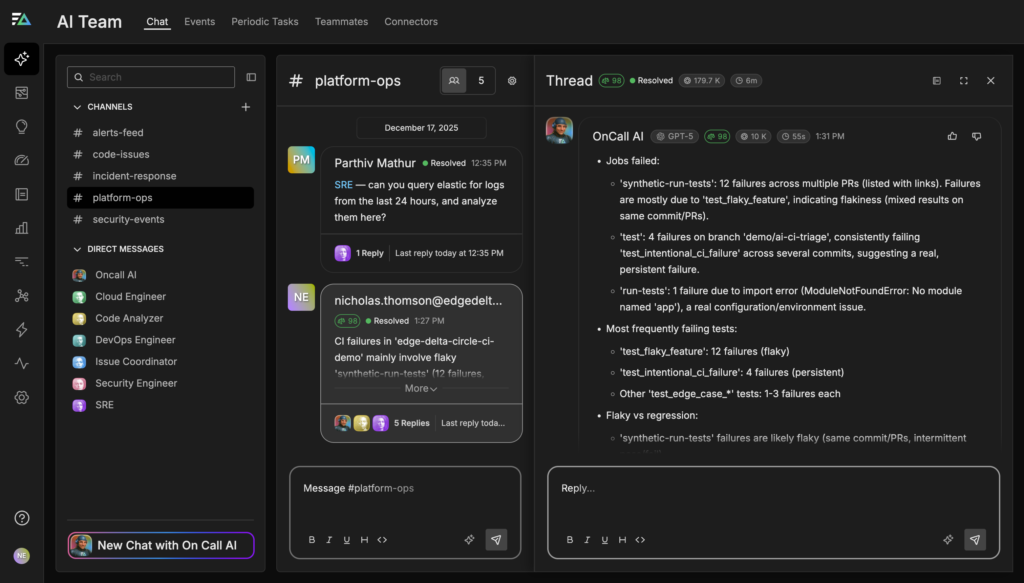
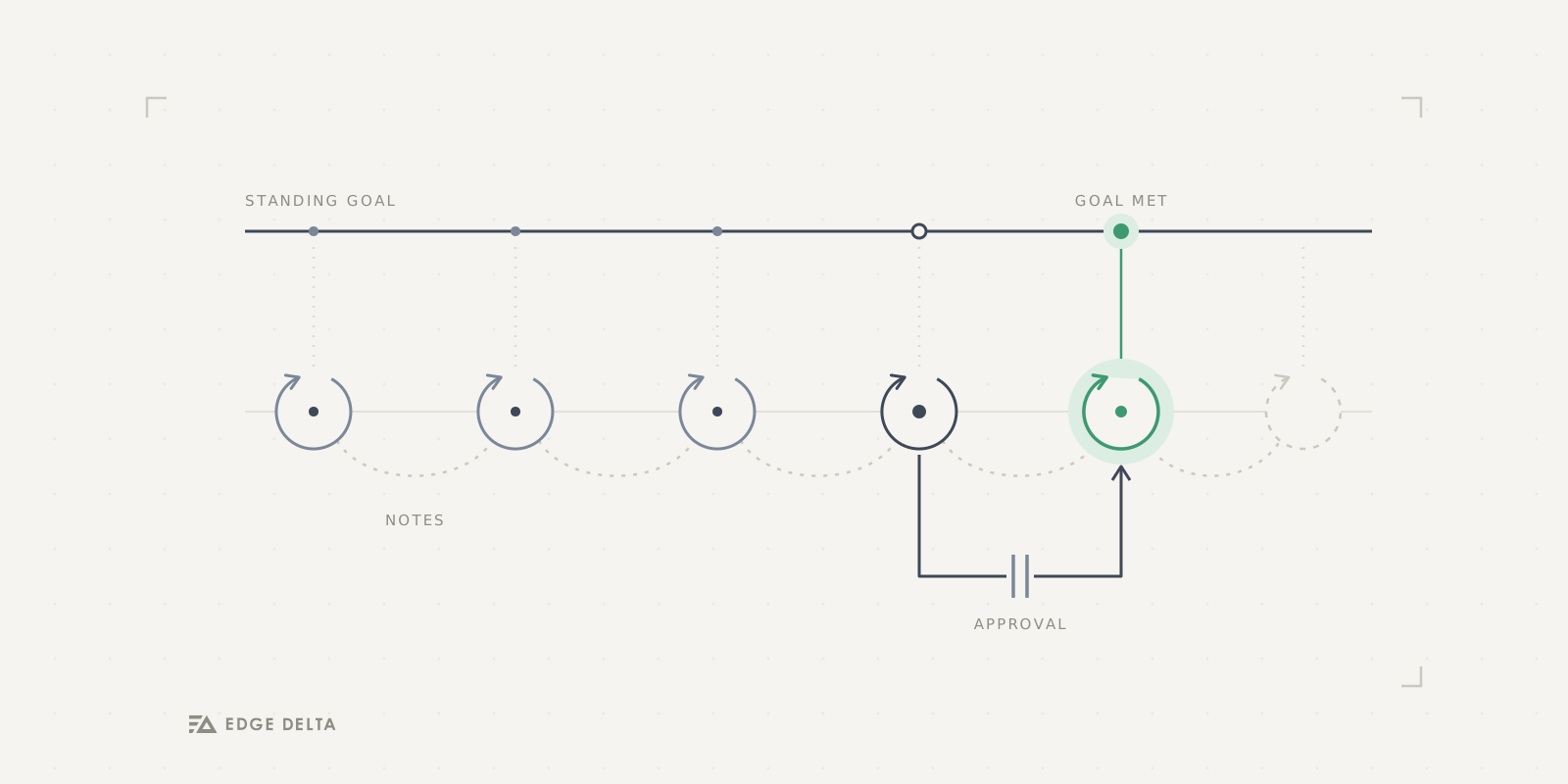
Using this analysis, OnCall AI proposes concrete, approval-gated actions directly within the pull request, such as re-running the failed job, applying a ci:flake label, or suggesting relevant reviewers or remediation steps. Each recommendation is backed by supporting evidence, including historical failure rates, affected code paths, and prior outcomes. This allows engineers to resolve CI failures quickly and confidently without switching tools or manually reconstructing context.
Build-Stage Root Cause Analysis
When a CircleCI build fails during dependency installation, OnCall AI automatically kicks off a root cause analysis instead of leaving engineers to manually sift through thousands of lines of build output. For example, if a build fails due to an npm install timeout, OnCall AI immediately asks the Code Analyzer Teammate to gather the relevant evidence across systems. It analyzes the CircleCI build logs, inspects recent changes to build artifacts and configuration, and correlates those signals with outbound network and registry error logs captured by Edge Delta, as well as historical performance data for the npm registry.
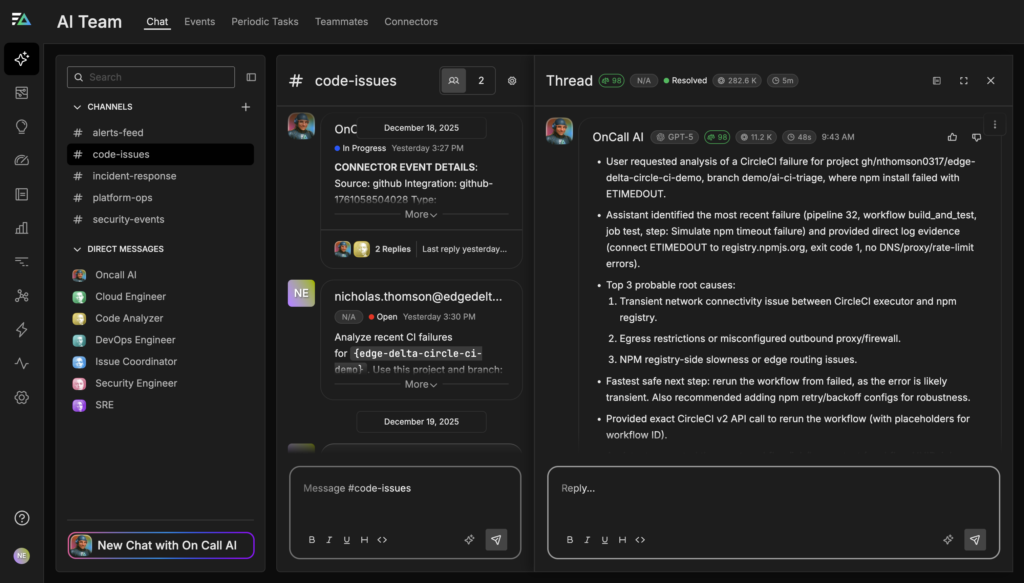
By combining these sources, the agent determines whether the failure is likely caused by a transient external issue, an environmental problem, or a configuration regression. In cases where the evidence points to a transient outage or network blip, OnCall AI recommends re-running the failed workflow, often noting whether cached dependencies can be reused to minimize delay. When the failure pattern instead indicates a systemic issue, such as consistently slow or rate-limited registry access, the agent proposes more durable remediation steps, like increasing install timeouts or escalating a configuration change to the appropriate owner for approval.
Rather than simply reporting that the build failed, OnCall AI explains why it failed, highlights the supporting evidence, and guides engineers toward the fastest, safest path to resolution.
Test Flakiness Triage and Quarantine
When tests fail intermittently across multiple CircleCI jobs, Edge Delta’s AI Teammates automatically detect flakiness and prevent noisy failures from being mistaken for real regressions. Instead of analyzing each failed run in isolation, the agents continuously aggregate test results across pipelines over time, correlating recent failures with historical pass rates, rerun behavior, and relevant infrastructure or environment changes.
From this broader context, the OnCall AI super-agent can identify tests that fail sporadically but consistently pass on reruns, flagging them as flaky and clearly explaining why. For example, the agent may note that a specific test has failed in 50% of runs over the past two weeks, almost always passing on the first rerun, and that no recent code changes touched the underlying logic. This evidence helps engineers immediately distinguish between instability and true regressions.
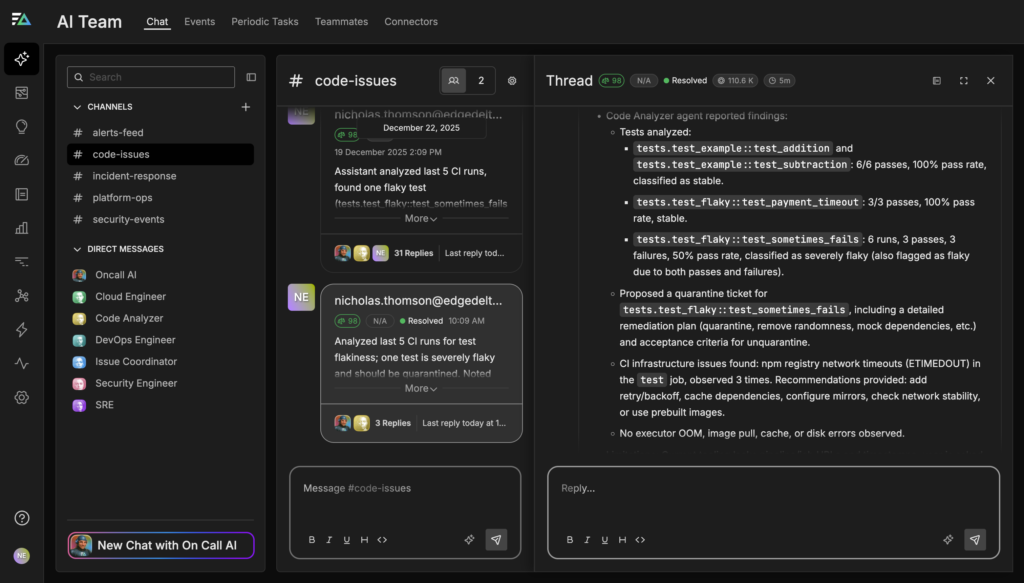
Based on its analysis, the OnCall AI super-agent proposes concrete, approval-gated actions to fix flaky tests without blocking delivery. These recommendations might include temporarily quarantining the flaky test from pull request workflows, moving it to a nightly or scheduled job, or re-running it in isolation under the same conditions to confirm instability. When longer-term fixes are needed, the agent can also draft a tracking ticket with supporting context so the issue can be addressed without disrupting active development.
Canary Analysis and Progressive Rollout
As part of a progressive delivery workflow, Edge Delta’s AI Teammates continuously analyze canary deployments triggered by CI/CD systems such as CircleCI, turning early rollout traffic into actionable signals rather than raw metrics. When a new version is deployed to a small percentage of users, the OnCall AI super-agent immediately begins comparing canary behavior against a known baseline, examining error rates, p95 latency, and service logs emitted by canary instances.
Rather than relying on static thresholds or asking engineers to manually inspect dashboards, OnCall AI asks the Code Analyzer to evaluate whether the canary meets the team’s rollout criteria in context. For example, it may observe that latency remains within acceptable bounds but that 5xx errors have increased compared to the baseline, indicating a potential functional regression. The agent explains these findings clearly, highlights the supporting evidence, and determines whether the change represents normal variance or an unacceptable risk.
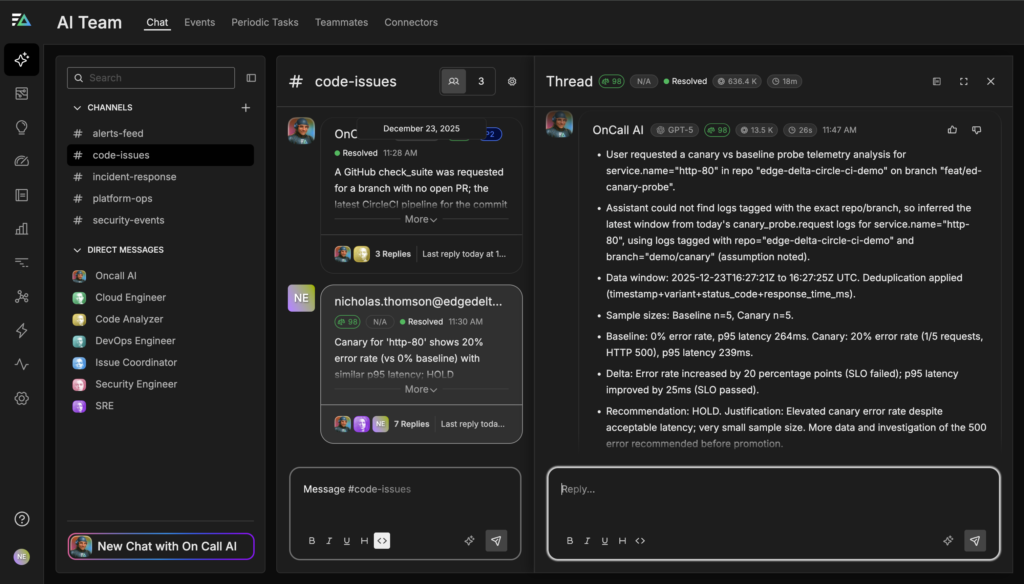
Based on this analysis, OnCall AI recommends a next step and provides a justification. If the canary is healthy, it proposes promoting the deployment to the next stage, such as increasing traffic from 10% to 50%, with required human approvals. If the canary shows elevated error rates or latency regressions, the agent flags the risk early and proposes a rollback before the issue impacts the full user population. This enables teams to move faster with confidence, using AI-assisted judgment to separate healthy rollouts from risky ones without adding operational overhead or cognitive load.
Emergency Rollback Orchestration
When, for example, a post-deployment surge in 5xx errors occurs, OnCall AI immediately shifts into incident-response mode, asking the Code Analyzer teammate to correlate the deployment timeline with live service metrics and logs to determine whether the new release is the likely cause. In this scenario, the agent observes a sharp degradation in service health for http-80 on the feat/ed-canary-probe branch, identifying hundreds of requests over the last hour with an overwhelming 5xx error rate and a clear outage spike shortly after the deployment completed.
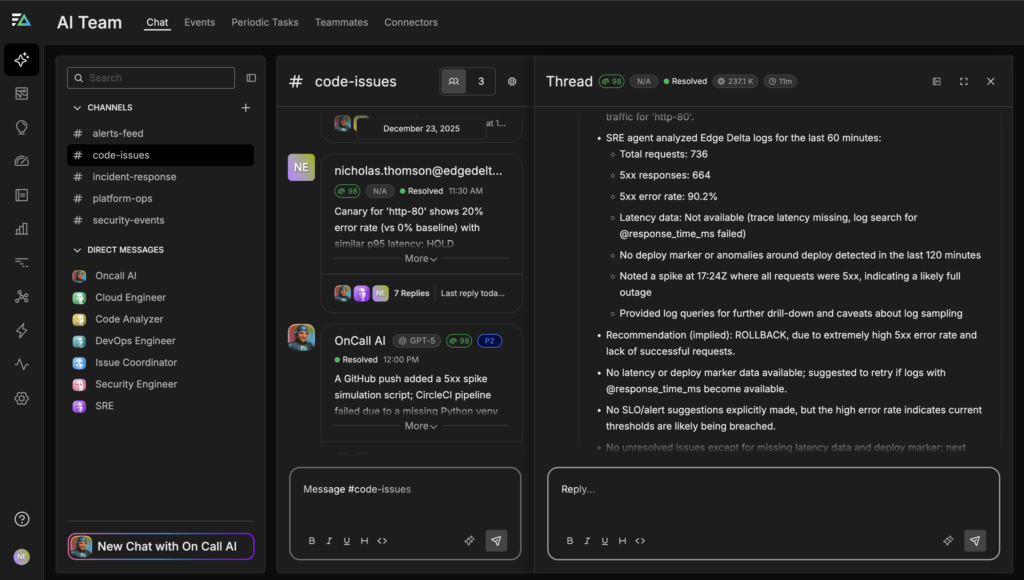
OnCall AI reconstructs the failure timeline, aligning the error spike with the deployment timestamp, analyzing request and error logs to rule out unrelated upstream issues, and confirming that the regression is isolated to the newly deployed version. Using the team’s predefined runbook as guardrails, the agent then generates a concrete rollback proposal that outlines what will change, why the rollback is necessary, and what impact to expect on service availability.
Before any action is taken, the OnCall AI super-agent presents this proposal through an approval workflow that requires explicit sign-off from the appropriate stakeholders, such as an SRE and a product or team lead. Once approved, the rollback can be executed quickly and consistently, with the agent tracking post-rollback metrics to confirm recovery and documenting the entire sequence of events.
This approach makes emergency rollbacks both fast and trustworthy. Engineers get clear explanations, evidence-backed recommendations, and a fully auditable decision trail while maintaining full control over every action.
Get Started
AI Teammates streamline the entire CI/CD lifecycle, from the moment code is committed to the moment it’s safely running in production. By reducing manual toil, accelerating root cause analysis, and proposing evidence-backed remediation steps, they keep CI/CD workflows running smoothly and support safe, reliable deployments.
With just a few clicks, you can connect CircleCI to Edge Delta, ingest structured build and test data in real time, and watch AI Teammates triage pull requests, detect flaky tests, analyze canaries, and orchestrate rollbacks with full auditability and human approval.
Sign up for a free trial to experience faster triage, fewer distractions, and higher-confidence releases.