
Anomaly detection is one of the most powerful tools observability teams can use to identify issues in their environments, but it’s notoriously hard to run at scale. Today’s cloud-native and distributed systems generate massive volumes of telemetry data, which even the most advanced AI models struggle to analyze in real time.
Edge Delta addresses this challenge by running an intelligent, in-pipeline patternization algorithm that groups similar logs into high-value summaries before the data is indexed. Our Observability Platform then analyzes these log patterns instead of raw logs, which allows it to surface anomalous behavior instantly without getting overwhelmed by data volume.
But detection is only the beginning. With Edge Delta’s collaborative AI Teammates, teams can immediately route these anomaly events to a team of specialized AI agents for SRE, DevOps, Security, and more. These agents autonomously investigate, summarize, and kick off remediation workflows, enabling teams to resolve the underlying issue in minutes.
In this post, we’ll walk through this workflow from end to end. You’ll get an up-close look at how Edge Delta detects anomalies at scale, and how AI Teammates help humans investigate and resolve them dramatically faster.
Anomaly Detection in Edge Delta’s Observability Platform
Before we discuss AI Teammates, let’s first go over how log patterns form the foundation of Edge Delta’s approach to anomaly detection.
Edge Delta’s Telemetry Pipelines use the Drain algorithm to dynamically aggregate log entries based on a specific attribute over a defined time window. These summaries are formed by grouping similar logs together and replacing variable elements within the log content, such as IDs or IP addresses, with the “*” wildcard.
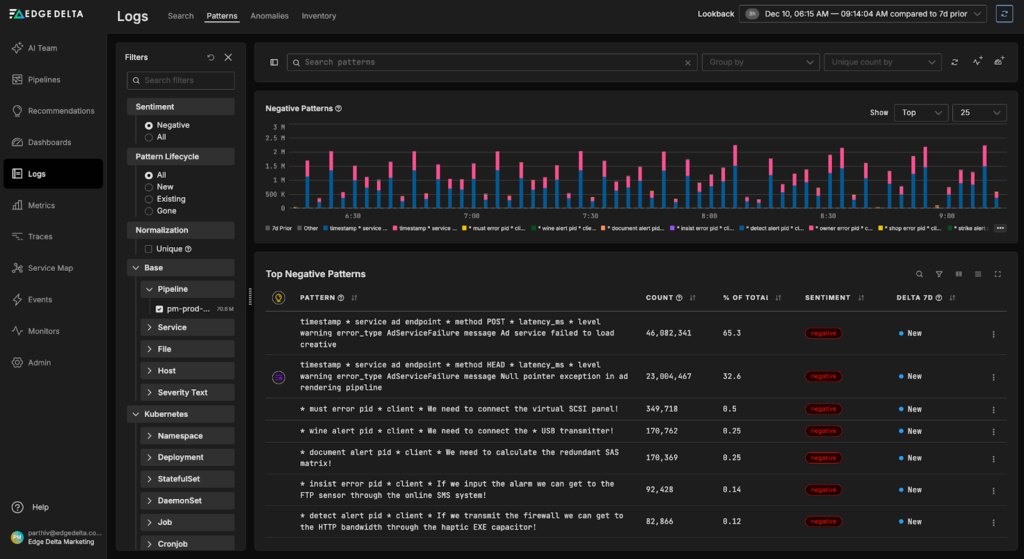
Next to each log pattern, you can see:
- The number of logs associated with it
- How its recent related log volume compares to previous periods
- A “negative” or “neutral” classification, based on sentiment analysis of the associated logs’ messages
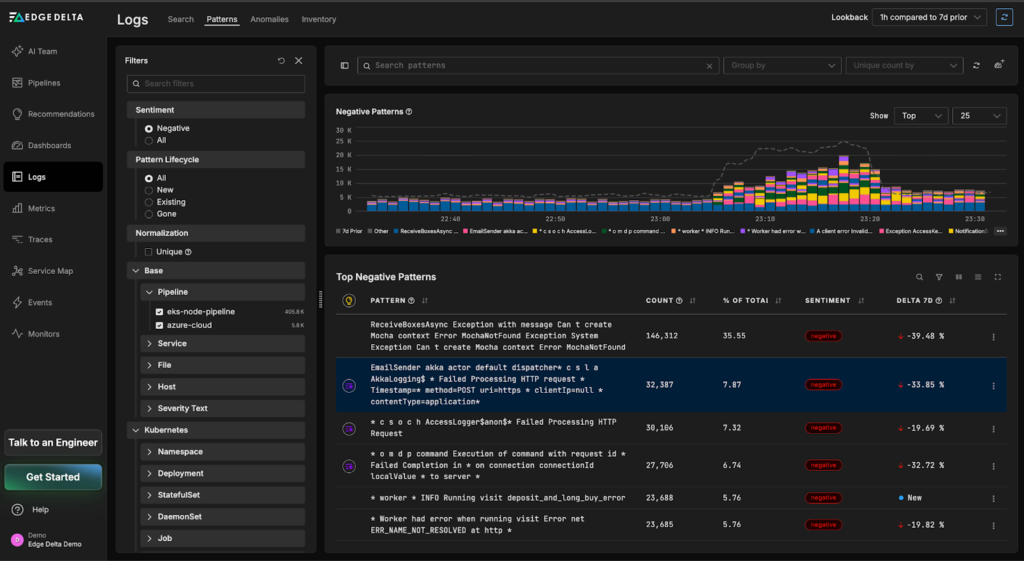
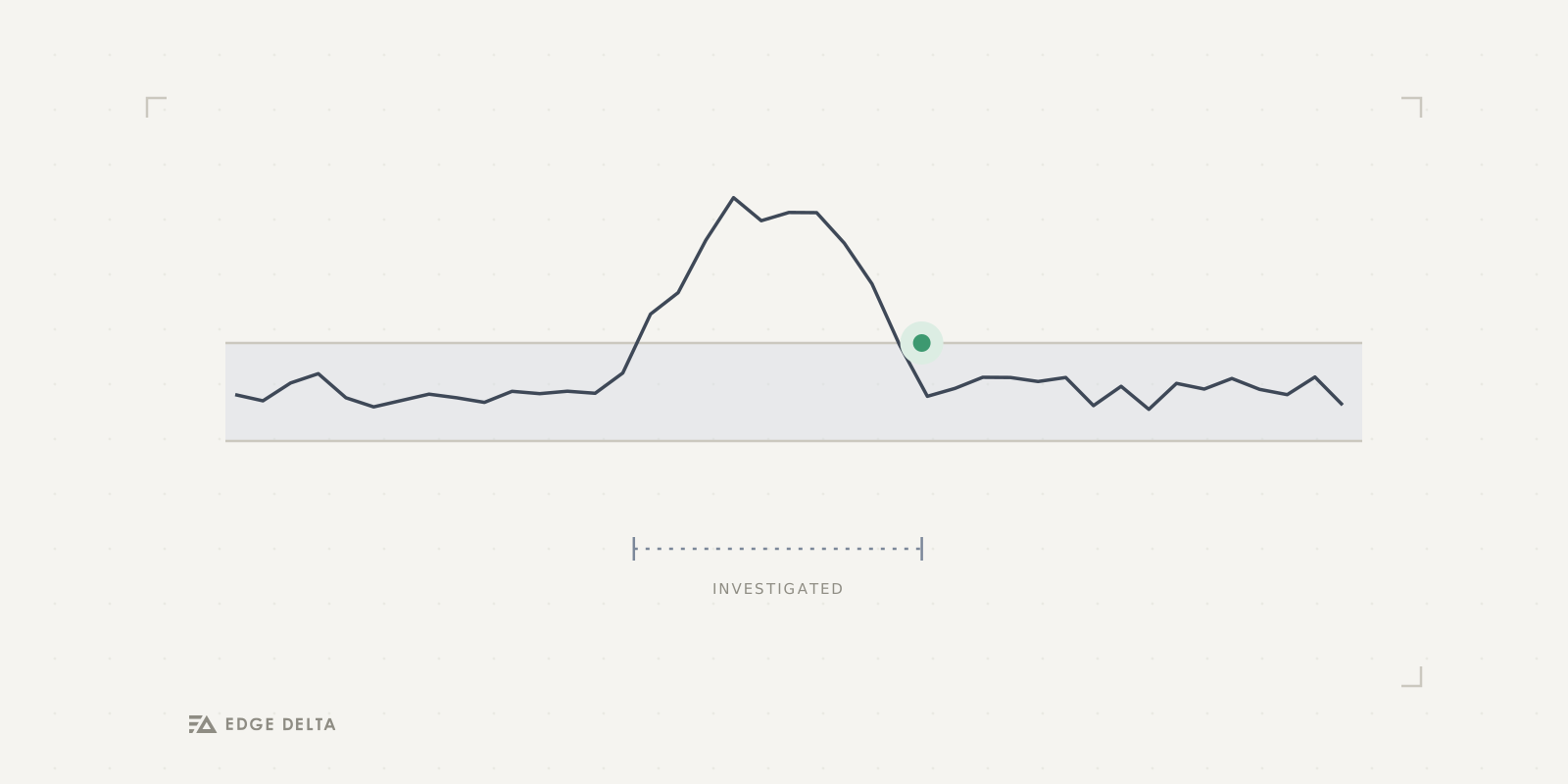
Once these patterns are indexed, they are processed by Edge Delta’s anomaly detection algorithm. It compares current pattern behavior against established baselines and looks for unusual clusters of negative-sentiment patterns over recent time periods. The system then groups those negative patterns into a new anomaly event and generates a concise summary to help users quickly understand the issue.
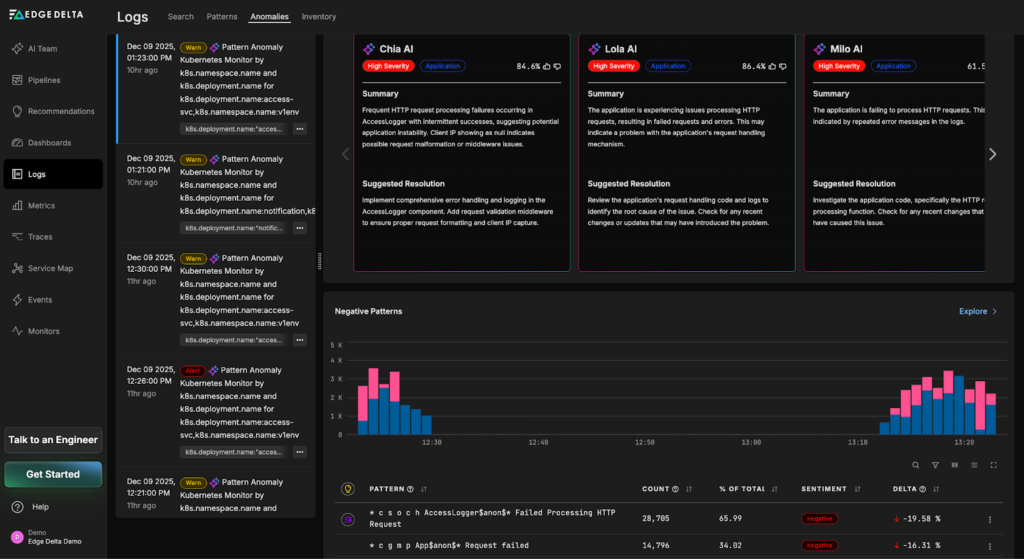
To alert AI Teammates about new anomalies, you can configure a pattern anomaly monitor to watch for incoming anomaly events and notify an individual Teammate or channel as soon as one is detected. In the next section, we’ll walk through how to set this up.
Alerting AI Teammates with Pattern Anomaly Monitors
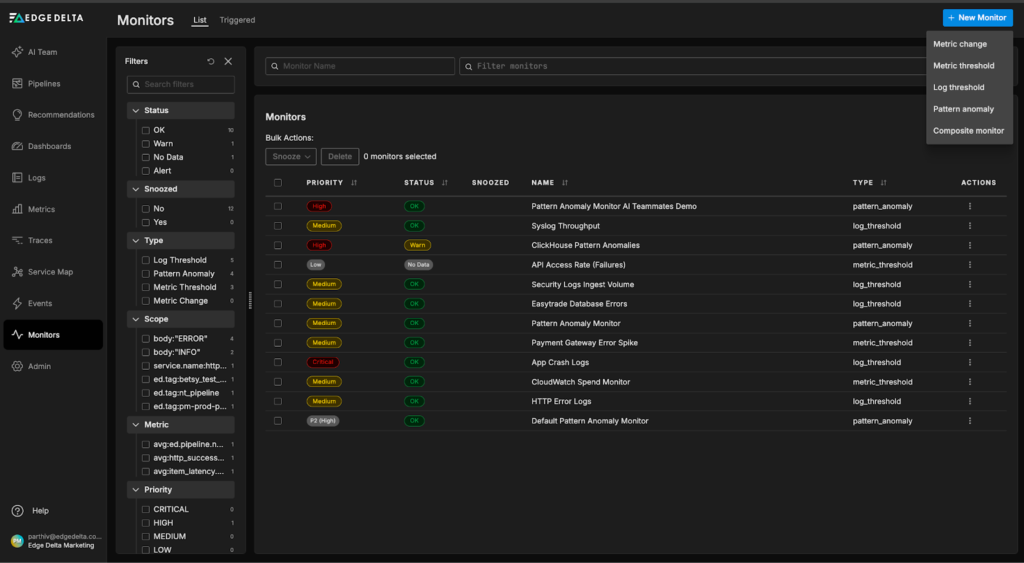
To create a pattern anomaly monitor, we’ll first need to navigate to the monitors page in our Edge Delta environment, select the “New Monitor” button on the top right, and choose the “Pattern anomaly” option:
Next, we’ll specify a few monitor conditions, including the pattern query, group-by field, and window field. In this example, we’ll monitor the “pm-prod-pipeline”, so we can specify the query to only fetch anomaly events created on data from that pipeline. We’ll also group anomalies by service name in order to identify which service is triggering the anomaly. For simplicity, the “alert condition” settings will be left at their default values:
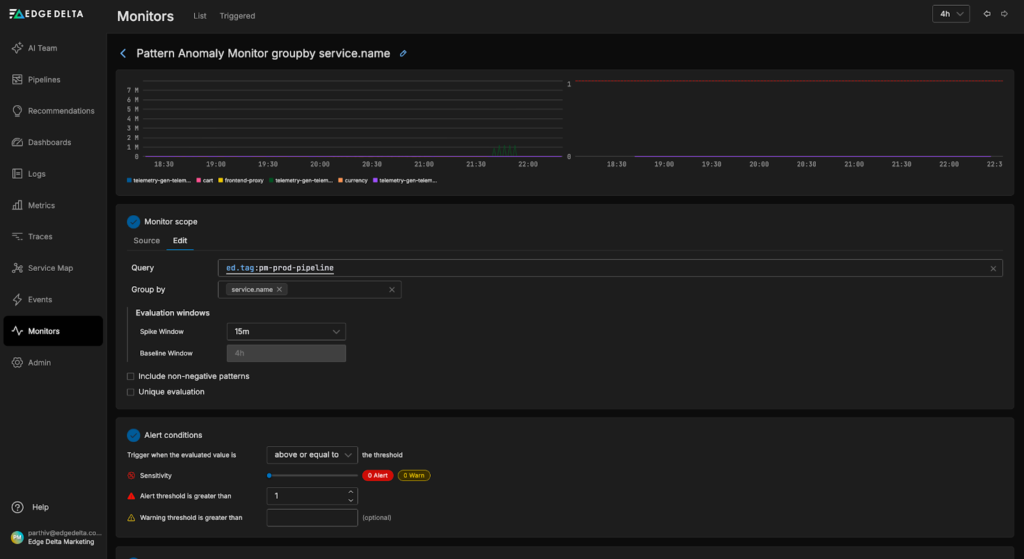
For more details on monitor settings, check out our documentation.
Lastly, we’ll add notification logic to alert AI Teammates when the monitor threshold is exceeded. In this example, we’ll configure the SRE Teammate to automatically investigate relevant anomalies when the monitor enters a “WARN” state, and send a message to the “#alerts-feed” channel when it escalates to an “ALERT” state:
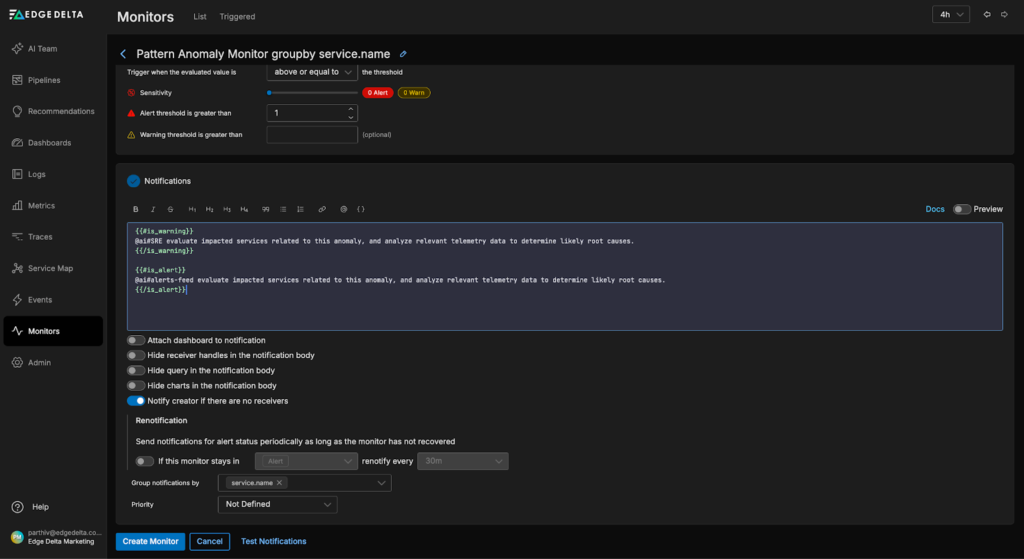
Once our monitor is configured, we can click “Create Monitor” to complete the setup.
Resolving Anomalies with AI Teammates
Now, let’s walk through an anomaly detection and resolution workflow to see AI Teammates in action.
For this example scenario, we’ll use the Telemetry Generator to produce bursts of synthetic logs from a fictitious “Ad” service, extract patterns with the Log to Pattern Processor, and send the resulting data to Edge Delta’s backend.
At approximately 6:15 AM, the burst-related log patterns begin arriving in Edge Delta’s Observability Platform:
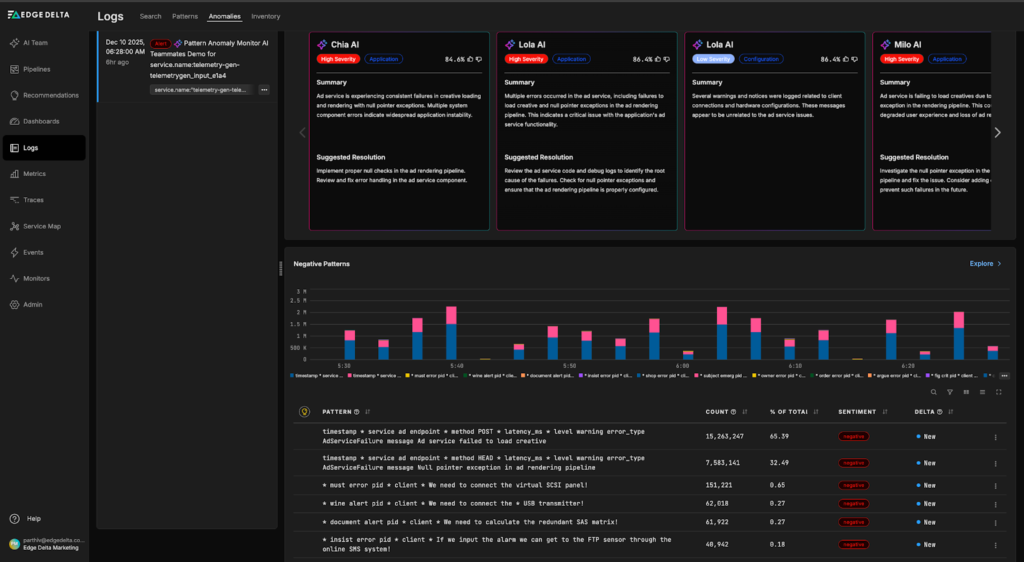
Within 15 minutes, a new anomaly event is generated, along with a high-level summary of the detected issue. In this case, the anomaly points to a loading or rendering problem affecting components of the Ad service:
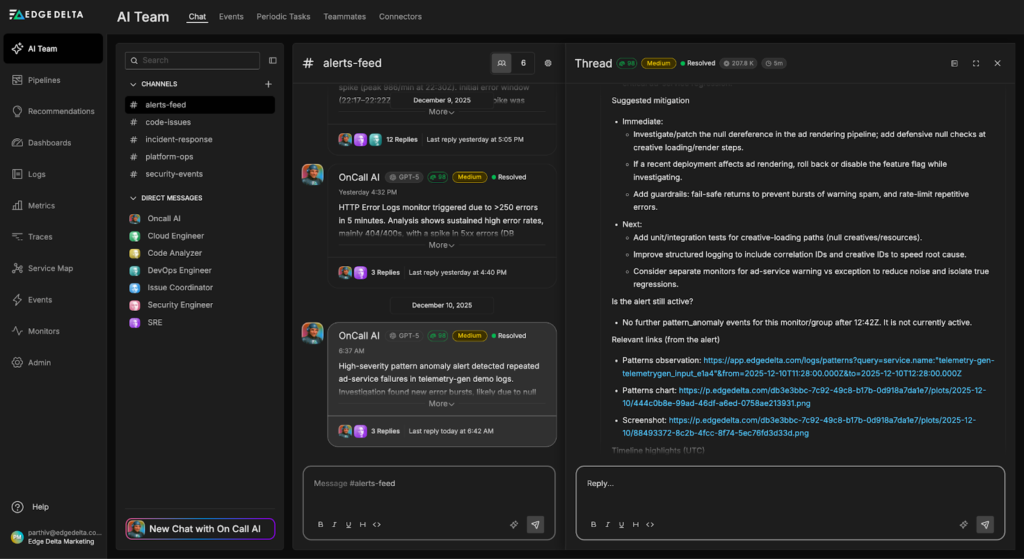
Once the anomaly is detected, the pattern anomaly monitor we created in the previous step enters the “ALERT” state and pings the #alerts-feed channel to notify AI Teammates. The OnCall AI super-agent instantly loops in the SRE Teammate, which pulls in relevant log, metric, and trace data to investigate:
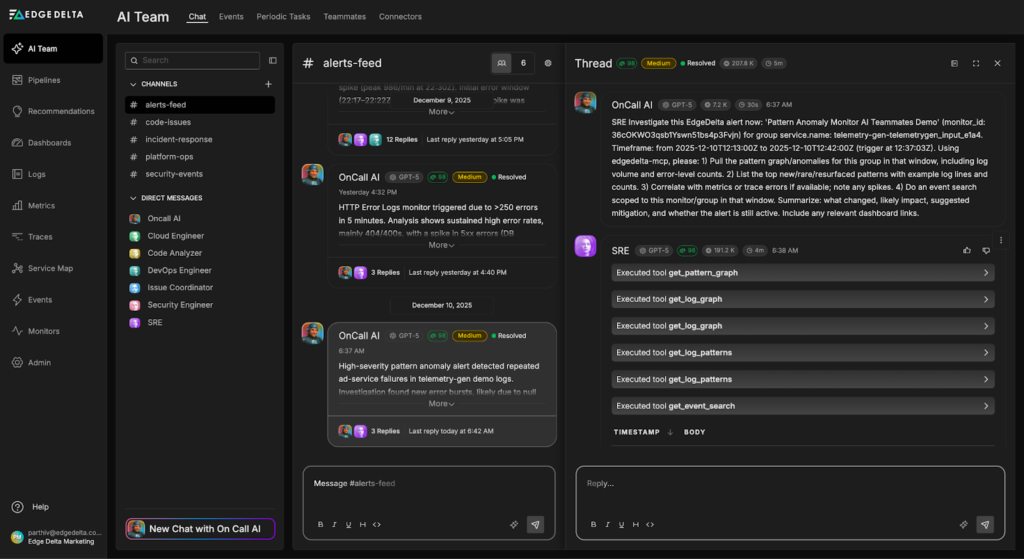
During its investigation, the SRE Teammate identifies a “null pointer dereference” error as the likely root cause. It proposes a mitigation plan that includes adding defensive null checks during creative loading and rendering stages, as well as introducing targeted unit tests for creative-loading code paths. The investigation output also includes direct links to the relevant log patterns and anomaly events for quick validation and follow-up.
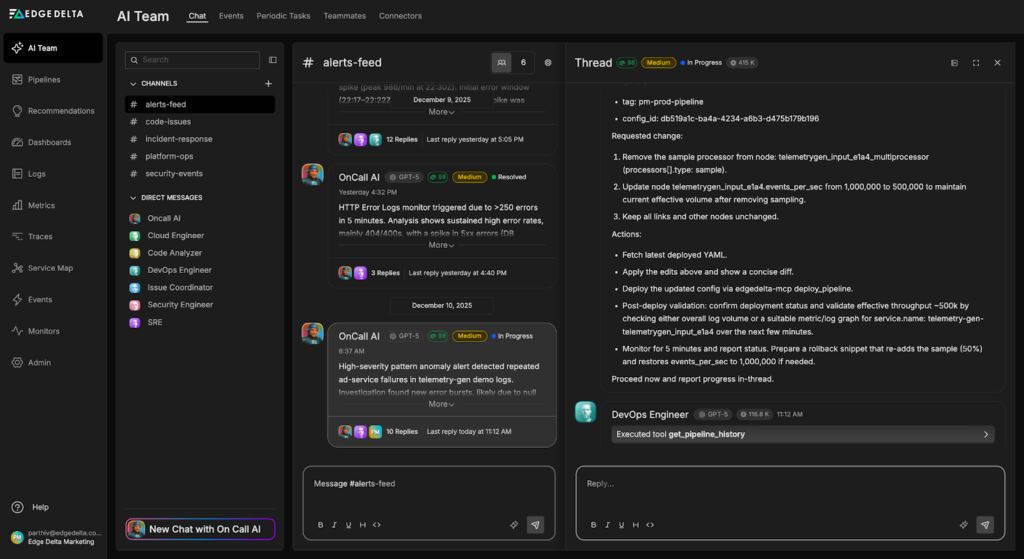
Once the immediate issue is resolved, the AI Teammates continue their analysis to reduce the likelihood of anomaly recurrence. At our request, the DevOps Engineer Teammate applies a pipeline configuration update to remove sampling on data associated with the Ad service, ensuring full-fidelity logs, metrics, and traces are available during the investigation:
From there, the SRE Teammate expands the analysis beyond the initial root cause by reviewing historical pattern trends, examining related services for correlated error signals, and validating whether similar failures could occur under different traffic or deployment conditions. In this case, the evaluation shows that no other services experienced comparable issues, confirming that the impact was isolated to the Ad service.
This helps identify additional stability improvements and informs longer-term remediation and observability tuning efforts:
Conclusion
Anomaly detection only delivers real value when it scales with modern systems and produces actionable signals. By applying intelligent upstream patternization, Edge Delta enables teams to run anomaly detection on petabytes of data in order to surface critical issues in real time.
Layering Collaborative AI Teammates on top of this foundation extends detection into automated investigation and response. Whereas traditional anomaly detection would stop at an alert, AI Teammates take the next step: they autonomously analyze relevant logs, metrics, and traces, surface likely root causes, and help teams validate impact and prioritize remediation. This workflow shortens the path from detection to resolution while preserving the technical context DevOps, SRE, and Security personas need during remediation.
To learn more about how AI Teammates can help you automate anomaly analysis, start a free trial.