

AWS cold starts are initialization delays that occur when a serverless function runs in a new execution environment. Before processing a request, AWS must provision compute, initialize the runtime, load application code, and establish dependencies — introducing latency to the first invocation.
The real risk isn’t misconfiguration or outright failure, but unpredictability. Cold starts are relatively infrequent, yet they disproportionately affect tail latency. While some add less than 100 milliseconds, others can take several seconds — and bursty or spiky traffic patterns increase both their frequency and their visibility to users.
Most cold start issues stem from incorrect assumptions about how serverless systems behave under load. To evaluate their impact on reliability, cold starts should be considered part of the overall latency distribution — not as isolated performance anomalies.
Key Takeaways
• AWS Lambda incurs latency during the initialization of a new execution environment, including the runtime, dependencies, and resources.
• Less than 1% of calls result in cold starts, but they can have a big effect on tail latency and p95-p99 reliability measures.
• Initialization involves runtime initialization, loading of dependencies, network initialization, and attachment of the security context, each of which contributes to a noticeable delay.
• Provisioned concurrency and SnapStart help to reduce the latency associated with startup but come with trade-offs related to cost, predictability, and flexibility.
• Cold start behavior reflects an architectural trade-off in serverless design, not a performance bug or misconfiguration.
What Is an AWS Cold Start and When Does It Occur?
AWS cold starts are initialization delays that occur when a serverless function runs in a fresh execution environment. Before any request can be processed, AWS needs to provision compute resources, initialize the runtime, load your application code, and establish dependencies — all of which adds latency to that first invocation.
The real risk isn’t misconfiguration or outright failure: it’s unpredictability. Cold starts are relatively rare, but they punch above their weight when it comes to tail latency. The delay can range from under 100 milliseconds to several seconds, and spiky or bursty traffic makes them both more frequent and more visible to end users.
AWS Lambda Cold Starts and Execution Environment Initialization
When a new environment is needed, AWS sets up the runtime, loads code, and prepares resources before user code runs. This initialization is a normal part of serverless computing and explains why latency appears on the first request.
AWS Lambda cold starts occur when a function is invoked with no pre-initialized execution environment
Cold starts happen if a function is invoked without a pre‑initialized execution environment. In that case, AWS automatically creates an environment on demand, which usually entails the following:
- Allocating compute and network resources
- Initializing the selected runtime (such as Python, Node.js, or Java)
- Loading function code, dependencies, and configuration
This configuration happens before the handler is executed, so there is additional latency on the first request.
After the environment has been set up, it can be reused for further calls, so subsequent requests do not need to go through the cold path. This pattern of reuse directly correlates cold starts with the first request latency.
AWS documentation explicitly describes cold starts as expected behavior in serverless execution models
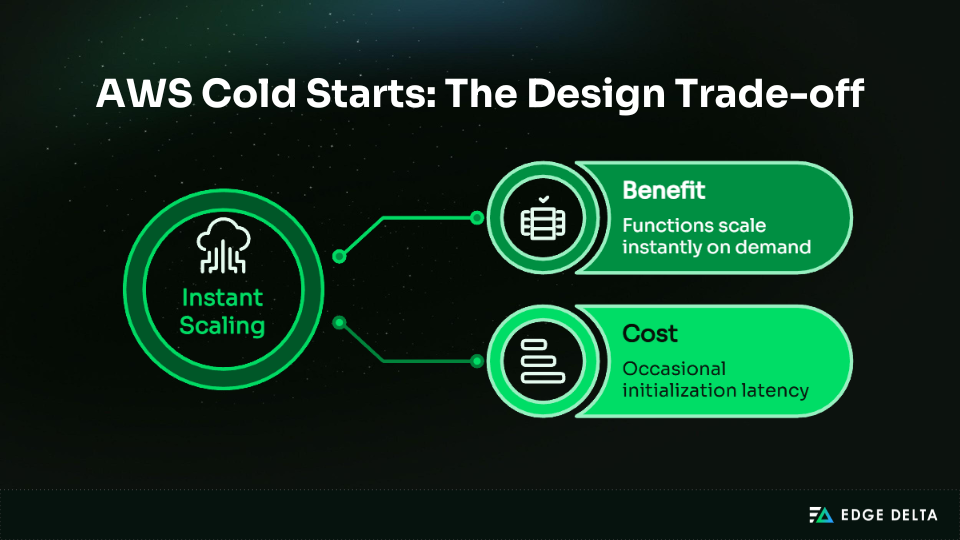
AWS sees cold starts as a downside of serverless architecture. You can scale functions on demand, but you may need to set up new environments from time to time.
Cold starts are a predictable feature of elastic scaling and do not indicate deteriorated service. This framing promotes that cold beginnings are inherent to the paradigm rather than failures to be remedied.
Cold Path Behavior in Other AWS Compute Services
AWS Lambda is the most visible example of cold starts, but similar “cold path” delays occur in other AWS compute services. These appear when workloads scale out or when services resume from zero capacity. Like Lambda, these delays are architectural traits of elastic systems, not failures.
ECS tasks can experience startup latency during scale-out events when new containers are placed
In Amazon ECS, the cold path latency happens during the scaling out of the service, where new tasks are launched in the cluster. Although containers are different from Lambda execution environments, the process is the same, where capacity needs to be available before any work can be done.
At a high level, ECS cold paths include:
- Selecting and reserving cluster resources
- Pulling container images if not cached
- Starting containers and initializing application processes
Compared to Lambda, ECS startup latency is more noticeable but occurs less often because tasks run longer and are not created per request. Lambda remains the reference model for fine‑grained, request‑level cold paths.
AWS services that scale to zero capacity are more susceptible to cold start penalties
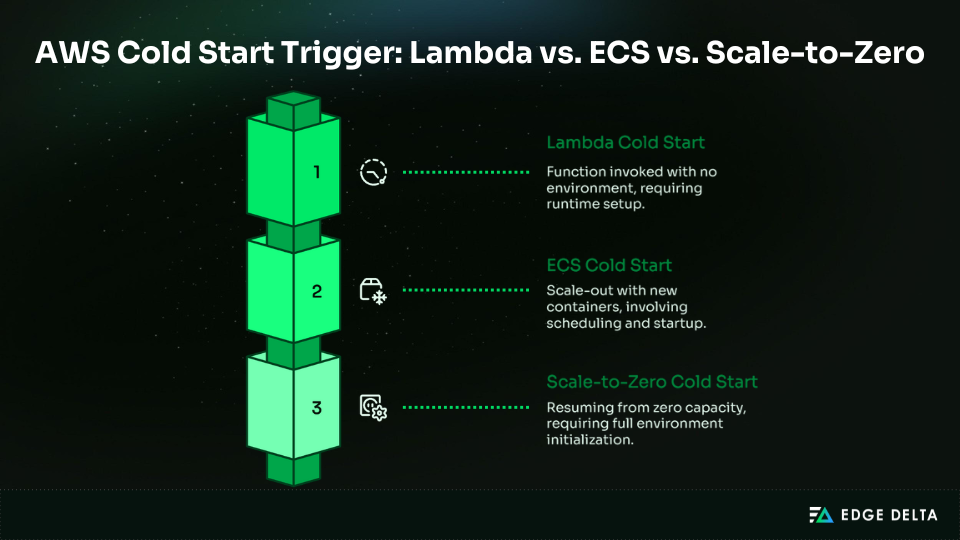
All AWS services that scale to zero will inevitably incur initialization latency when traffic picks up again. This is because there is no pre-provisioned capacity, and the first request has to wait for infrastructure, runtime, or container initialization to complete.
This is why cold paths occur around traffic spikes and recovery points, rather than at constant load. Scaling to zero saves power during idle periods, but it slows down the first request after scaling capacity back up.
Quick comparison:
| Service | When Cold Path Occurs | Nature of Delay |
|---|---|---|
| Lambda | Function invoked with no environment | Runtime setup before first request |
| ECS | Scale-out with new containers | Resource allocation, image pull, container start |
| Scale-to-Zero | Resuming from zero capacity | Full environment initialization |
How Common Are AWS Lambda Cold Starts in Production, and Why Can They Still Matter?
Cold starts in AWS Lambda are often rare, yet they remain important because tail latency dominates user experience.
Even if the majority of requests are completed quickly, a small percentage of cold-started requests can cause a service to break its service-level objectives (SLOs) or disappoint end users. According to AWS, cold starts are a rare occurrence, but their effect is compounded during bursts of traffic.
AWS-Published Cold Start Frequency and Duration Ranges
AWS provides baseline expectations for how often cold starts occur and how long they last. While average invocation latency is low, cold starts reside almost entirely in the tail of the distribution.
AWS reports cold starts occur in under 1% of invocations, ranging from under 100 ms to over 1 second
According to AWS, cold starts occur in less than 1% of the calls, with a delay of less than 100 ms to over 1 second, depending on the runtime environment and type of workload.
Even though the rate is so low, cold starts are still critical for services that need low latency. One slow first request can:
- Violate p95 or p99 latency SLOs
- Trigger intermittent timeouts or retries
- Create uneven user experiences despite healthy averages
The impact is concentrated in the tail, where reliability is measured and service guarantees are enforced.
| Metric | Typical Range |
|---|---|
| Frequency | < 1% of invocations |
| Latency | <100 ms to >1 second |
| Impact zone | p95–p99 tail latency |
Concurrency Scaling and Burst-Driven Cold Starts
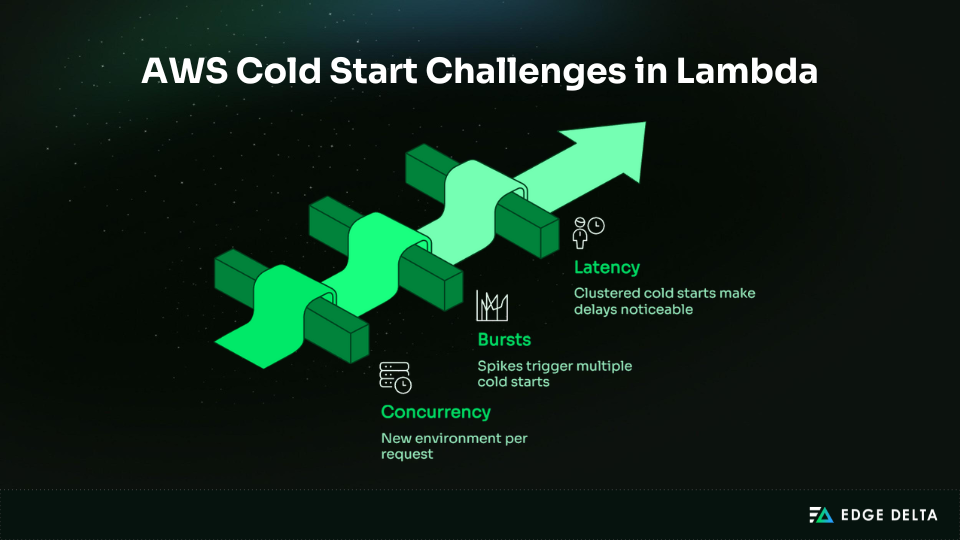
Cold start probability depends more on concurrency than on overall request volume. As the concurrency level increases, Lambda scales by creating new environments, which makes the probability of a cold start higher during bursts.
AWS states concurrent requests may require separate execution environments, increasing cold starts during spikes
AWS says that each concurrent request may need its own execution environment. When there is a lot of traffic, Lambda functions can’t quickly reuse environments, which means that more than one cold path can be launched at the same time.
This clustering effect further worsens tail latency, as averages stay low but users see delays in bursts.
| Scenario | Cold Start Likelihood | Reason |
|---|---|---|
| Steady traffic | Low | Reuse of existing environments |
| Sudden burst | High | Multiple environments created |
| Scale-to-zero recovery | Certain | No pre-warmed capacity available |
Burst-driven cold starts show why tail latency is important: even events that happen very rarely can have a big effect on how users feel in the real world.
Why Do AWS Cold Starts Introduce Latency?
The latency is caused by the effort AWS does to set up a function before it can start running. To make sure the function works safely and reliably, you need to provision resources, load code, and set up the runtime.
Each of these steps adds measurable time, which together form the total cold start duration.
Cold Start Initialization Path and Runtime Setup
The cold path is a set of required setup steps that must be performed before the execution of user code. Each step is a contributor to the overall latency, which results in the first invocation taking longer than a subsequent request in a shared environment.
Cold starts include runtime initialization, dependency loading, and execution environment setup
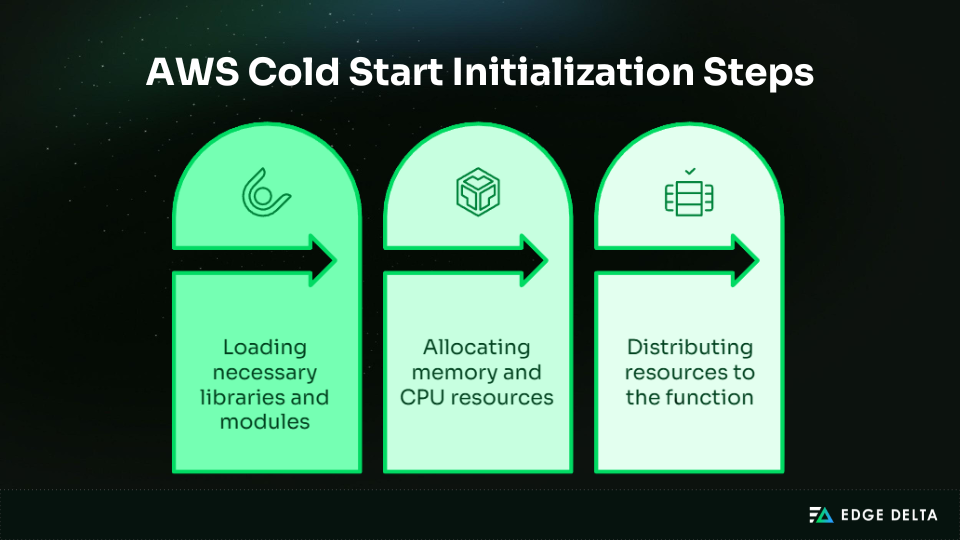
When a new Lambda environment is provisioned, AWS performs several tasks:
- Provision the runtime (Node.js, Python, Java, etc.)
- Load dependencies and libraries required by the function
- Set up the execution sandbox, including memory and CPU allocation
Every step takes time, and the total delay is the sum of the delays for all of these steps. This is why the first-request latency is usually larger than that of reused environments.
Larger deployment packages increase cold start duration due to initialization overhead
The size of the deployment package affects how long initialization takes. Larger packages take more time to load into memory and initialize libraries.
- Small packages: Tens of milliseconds
- Medium packages: Hundreds of milliseconds
- Large packages: Over 50 MB compressed & can exceed one second
This shows the trade-off between package complexity and initialization performance.
Networking and Security Overhead During Cold Starts
Cold start latency is also composed of infrastructure setup outside the function code itself. Networking and security settings contribute noticeably, especially for functions connected to VPCs or functions with strict permissioning.
VPC-attached Lambda historically added latency due to ENI provisioning
Before they may run, functions that are linked to a VPC need to set up Elastic Network Interfaces (ENIs). Setting up the ENI can take hundreds of milliseconds, which adds delay during bursts or events that scale from zero.
IAM role and security context initialization occur per execution environment
To make sure that permissions are enforced, each new environment must have its own IAM role and security regulations. This step makes the setup procedure take longer.
| Overhead Type | Typical Latency Contribution |
|---|---|
| Runtime and dependencies | 10–500 ms |
| Deployment package size effect | 10 ms–1+ s |
| VPC ENI provisioning | 100–300 ms |
| IAM role and security setup | 5–50 ms |
These factors explain why cold starts produce higher first-invocation latency even before any user logic runs.
Cold Start Latency Drivers
| Category | Example Steps | Latency Impact |
|---|---|---|
| Runtime Setup | Initialize Node.js, Python, and Java | Baseline overhead per environment |
| Dependency Loading | Load libraries, larger packages | Scales with package size |
| Environment Configuration | Sandbox setup, extensions | Required isolation adds time |
| Networking | ENI provisioning for VPC | Historically added significant delay |
| Security | IAM role & context setup | Overhead per environment |
Why Should You Worry About AWS Cold Starts in Production Systems?
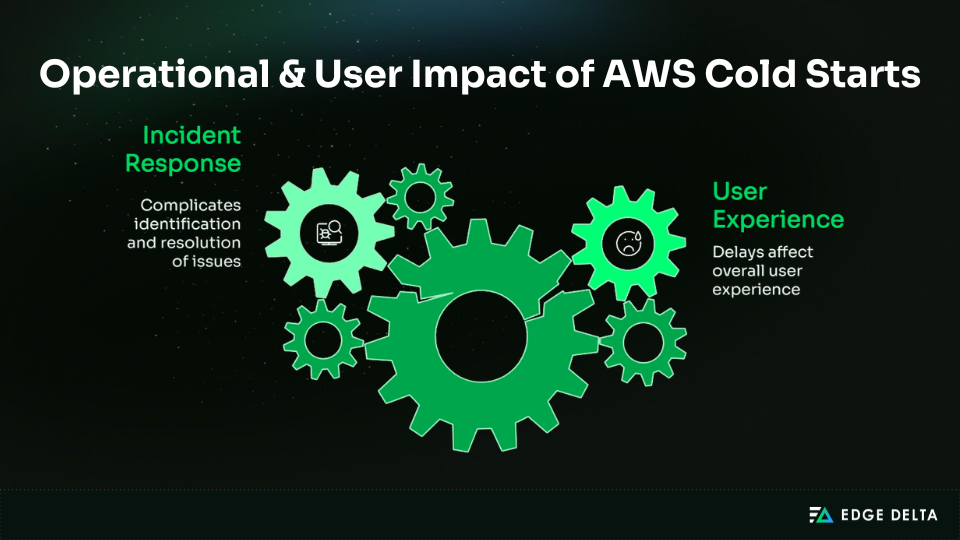
In production systems, cold starts shift from a mechanical curiosity to a source of unpredictability.
Cold starts directly affect how users experience the service since they generate latency spikes that make it harder to tell if the delay is due to a service or dependency failure. To make a reliable serverless program, you need to know what cold starts mean.
Cold Starts and User-Facing Tail Latency
Cold starts are primarily a tail-latency problem, not an average-latency issue. Most requests may be fast, but the slowest ones define how users perceive reliability.
Cold starts can add hundreds of milliseconds to multiple seconds to first-request latency
The first invocation of the new execution environment may be delayed by hundreds of milliseconds to several seconds, depending on the runtime, deployment package size, and network settings.
Users may get frustrated with these delays, lose faith in performance, and stop using interactive apps altogether.
In latency-sensitive applications, this can lead to:
- Break p95 or p99 latency targets
- Cause users to abandon sessions or retry requests
- Undermine trust in systems marketed as “fast”
Cold starts create intermittent latency spikes, making performance unpredictable
Because cold starts are infrequent and burst-driven, latency behavior becomes irregular. Intermittent spikes make it difficult to define or meet latency SLOs, complicate capacity planning, and challenge monitoring systems that rely on averages rather than tail metrics.
| Behavior | Impact |
|---|---|
| Milliseconds to seconds delay | Breaks strict latency budgets |
| Intermittent spikes | Unpredictable user experience |
| Concentrated at tail | Reliability measured at p95–p99 |
Cold Starts and Incident Response Complexity
During an incident, cold starts might make it look like there are problems with dependencies or services. This makes the mean time to resolution longer because any delay can be seen as a fault with the network or backend instead of how the Lambda function should perform.
AWS operational guidance frames serverless performance as an operational excellence concern
AWS recommends monitoring cold starts as part of operational excellence for serverless applications. Understanding that latency spikes are a normal part of the platform helps to separate platform problems from failures.
Bursty traffic patterns amplify cold start impact during failures and spikes
Traffic bursts make cold start effects worse since they can start several execution contexts at the same time. When there is an outage, cold start failures have a bigger effect since tail latency is easier to see.
| Scenario | Cold Start Amplification |
|---|---|
| Sudden traffic spike | Multiple environments initialized |
| Scale-from-zero recovery | All requests encounter initialization |
| Incident under load | Tail latency dominates monitoring |
Cold starts are not just technical curiosities; they pose operational and user experience risks that require awareness to maintain predictable performance and ensure reliable incident response.
What AWS Options Exist to Reduce Cold Start Impact, and What Trade-offs Do They Introduce?
Cold starts can be mitigated but not completely avoided. AWS provides different ways to mitigate latency, and each has a different trade-off between cost, flexibility, and latency. The right choice depends on your workload priorities and operational constraints, serving as a framework rather than a one-size-fits-all solution.
Provisioned Concurrency and Pre-Initialized Environments
Provisioned concurrency helps cut down on cold start times by keeping execution environments warm for new traffic. This lets Lambda handle traffic requests right away, without any setup time.
While this results in higher baseline resource usage, it leads to more predictable performance for traffic bursts and latency-sensitive applications.
AWS states provisioned concurrency achieves double-digit millisecond response times
With pre-configured environments, the processing of requests occurs with little latency, thus minimizing the effects of spikes in response times. However, this predictability comes with a cost because resources are continuously allocated.
You need to plan carefully because the resources you get cost money even when you’re not using them.
- Pros: Consistent low latency, ideal for user-facing workloads
- Cons: Higher cost, since you pay for idle capacity even when traffic is low
- Best fit: Workloads with strict latency SLOs and stable traffic patterns
Provisioned Concurrency Snapshot
| Benefit | Trade-off |
|---|---|
| Predictable millisecond latency | Ongoing cost for idle capacity |
| Pre-initialized environments | Less elasticity during quiet periods |
Lambda SnapStart and Snapshot-Based Initialization
Lambda SnapStart fixes cold starts by recovering a snapshot of an already set up execution environment instead than starting from scratch. This cuts down on starting time without always using up capacity.
AWS states SnapStart can deliver sub-second startup and recommends provisioned concurrency if requirements aren’t met
SnapStart can provide sub-second startup performance, especially for supported runtimes such as Java. However, the startup latency is decreased but not eliminated, and predictability is worse than in pre-initialized environments.
- Pros: Lower cost than provisioned concurrency, since environments are not kept warm
- Cons: Snapshot limitations, such as compatibility constraints and potential variability in startup times
- Best fit: Applications where sub-second latency is acceptable and cost efficiency is a priority
Cold Start mitigation options at a glance:
| Option | Primary Benefit | Cost Model | Key Trade-off |
|---|---|---|---|
| Provisioned concurrency | Consistent low latency | Pay for readiness | Higher steady-state cost |
| Lambda SnapStart | Faster startup | Pay per invocation | Limited predictability |
Conclusion: Why AWS Cold Starts Are an Architectural Concern, Not a Tuning Problem
AWS cold starts are not just performance issues; they occur due to the initialization of the execution environment, which increases tail latency. This latency introduces reliability risks that have a negative effect on user experience and business results.
Since cold starts happen before application code executes, they can’t be fully resolved through code optimization. Their effects often arise during critical situations, such as traffic bursts or recovery scenarios when systems are under stress.
Cold starts are a trade-off in the design of elastic, on-demand computing. There are ways to lessen the effects, but they usually mean giving up cost or flexibility in exchange for predictability. You should focus on making your system able to withstand the effects they have on latency and dependability.
Common Questions About AWS Cold Starts
What is an AWS cold start in simple terms?
Cold start refers to the time it takes for AWS to set up a new environment by initializing the runtime, loading code, and setting up resources. This additional latency is only experienced by the first request in the environment.
-
Why do cold starts matter if they affect under 1% of invocations?
Cold starts don’t happen very often, but they make up most of the tail latency. In apps that care about latency, these rare delays might break p95 or p99 SLOs, cause retries, annoy users, and make experiences uneven. Rare incidents become quite noticeable during bursts or important user interactions, which affects reliability and trust.
-
Do cold starts only happen in AWS Lambda?
No. Cold starts also occur in ECS, Fargate, and other AWS services that scale from zero. Any time a new container or environment is provisioned on demand, initialization latency appears, though frequency and severity vary by service.
-
Why are cold starts worse during traffic spikes?
Traffic surges need multiple environments to begin at the same time. Because AWS cannot quickly reuse existing environments, multiple cold starts occur together, and the effect of tail latency becomes noticeable even if the average response time is low.
-
Are cold starts a bug or an architectural trade-off?
Cold starts are expected in serverless architecture. They are the cost of elasticity in favor of being able to use the system immediately. Scaling from zero or burst traffic will always cause initialization delays.
Source List: